9. Data Source Adapters
This chapter gives you an overview about which Data Sources are supported by MQC as base adapters.
The current release of MQC supports the following tools:
For the case there is no adapter, MQC puts at the user’s disposal the possibility of a manual import of Base Measures (see Manual data import for unsupported data sources (Excel Template)).
A second option would be to implement and add a so-called Custom Adapter, see Custom Adapters.
9.1. MES Model Examiner® (MXAM)
MQC supports two types of MXAM report formats:
9.1.1. Standard MXAM Report (.mxmr)
The following example of an MXMR report describes which information is imported by MQC’s MXAM adapter to MQC:
from the
<RReport>element, specifically thedateelement:ReportDateTimefrom the first
<subcomponents>element inside an<artifacts>element, the attribute<subComponents name="ExPol">asArtifactNameand the attribute path asArtifactPath
MXAM provides guideline and finding result data for each artifact in the MXMR Report. Therefore, each artifact section will be parsed to get the information of all findings and guideline results.
<artifacts result="Aborted" adapterId="com.modelengineers.mxam.tooladapter.matlab" storageNature="Tool artifact">
  <structure>
    <subComponents name="ExPol" path="ExPol">
    </subComponents>
  </structure>
  …
  <summary itemType="Findings">
    <statistic resultType="Review" count="3"/>
    <statistic resultType="Failed" count="66"/>
    <statistic resultType="Info" count="28"/>
    <statistic resultType="Passed" count="12"/>
    <statistic resultType="Ignored" count="2"/>
  </summary>
  …
  <summaries itemType="Guidelines">
    <statistic resultType="Review" count="1"/>
    <statistic resultType="Failed" count="5"/>
    <statistic resultType="Passed with Infos" count="24"/>
    <statistic resultType="Passed" count="11"/>
  </summaries>
</artifacts>
The adapter reads those measures to be found in the Findings and Guidelines
header: <summary itemType="Findings"> and
<summaries itemType="Guidelines">. Please note that an MXAM report can
contain various artifacts and for each artifact MQC reads out the Findings and
Guidelines Summary, that are saved as FindingCount and GuidelineCount,
respectively:
ReviewFailedInfo(for FindingCount) andPassed with Infos(for GuidelineCount)PassedIgnoredAbortedCanceledRepairedUnrepairedWarning(for FindingCount) andWarnings(for GuidelineCount)
To get more insight of how these Base Measures are processed to a measurement function, please refer to Quality Model for MXAM.
9.1.2. MXAM Excel Report
MQC accepts an Excel file as a valid MXAM report file, if it at least contains
the Project Overview sheet. All guideline results and finding results are
read then from the Findings sheet taking into account that multiple
Findings sheets may be present (e.g. in addtion Findings 2,
Findings 3 etc).
MQC reads
from the
Project Overviewsheet:the
ReportDateTimeas stored in the row that contains the string “Generated at:”
from the
Findingssheets EACH row as an MXAM finding, where:the
Check IDcolumn is used to extract the guideline namethe
Objectivescolumn is used to extract theMeasurementNamethe
Artifactcolumn is read asArtifactNamethe
Resultcolumn is read asVariableName.
To extract the guideline name from the entry of the Check ID column, MQC
splits the given path into its parts, where the last part is the check and the
part next to the last indicates the guideline. If for example the column
contains the string
mes_first_set_modeling_guidelines_fs/Layout and Design/Modeling of Data Flow/misra_slsf_030_abc/mcheck_misra_slsf_030_ab
mes_first_set_modeling_guidelines_fsis the name of the documentLayout and Designis a chapter inside the documentModeling of Data Flowis a subsection of the above chaptermisra_slsf_030_abcis the guideline andmcheck_misra_slsf_030_abis the check.
If the column Objectives is not existing, MQC instead checks for the column
name Check Type to extract the measurement name. If multiple entries are
contained, MQC uses the first entry as measurement name.
If the MXAM Excel report contains findings for different subsystems for the
same artifact, MQC tries to extract a common prefix of all artifact paths as
ArtifactName.
After reading all rows, the extracted findings (each row equals one MXAM finding) are aggregated and stored as MXAM measures:
the sum of all findings with the same measurement name, the same artifact name and the same variable name is stored as
MeasurementName.FindingCount.VariableName = RowCount, e.g.Functionality.FindingCount.Passed = 212.
To extract the GuidelineCount measure:
MQC first groups all findings according to the same measurement name, the same artifact name and the same guideline name
then for each group MQC takes the variable name of the worst finding as guideline result, e.g.
Failedand afterwards counts the occurence of findings with the same measurement name, the same artifact name and the same variable name as
MeasurementName.GuidelineCount.VariableName, e.g.Functionality.GuidelineCount.Failed = 15.
9.2. MES M-XRAY® (MXRAY)
MQC supports the Standard XML MXRAY Report file.
The following information is extracted by the MQC/ MXRAY adapter:
from the
<Timestamp>elementReportDateTime
from the
<SubsystemQualityOverview>header all included elements, usually these are:Local ComplexityLevel%Elementary Inputs Unused (globally)Cyclomatic ComplexityInportsOutports
For each of these Measures the variables
Good,AcceptableandBadare imported. Furthermore forLocal Complexitythe variablesLowerBoundOfAcceptableandLowerBoundOfBadare read .from the
GlobalValueSummaryelementGlobal Complexity (Ref0)Global Complexity (Ref1)Global Complexity (RefN)Global Complexity Stateflow (Ref0)Global Complexity Stateflow (Ref1)Global Complexity Stateflow (RefN)
from the
CloneGroupselementNumberOfDetectedCloneGroupsNumberOfSubsystemsAnalyzedNumberOfUniqueSubsystemsInAllCloneGroupsNumberOfSubsystemsInAllCloneGroups
Note
In MQC CloneGroups.NumberOfUniqueSubsystemsInAllCloneGroups is shown
as CloneGroups.Bad:
Bad = NumberOfUniqueSubsystemsInAllCloneGroups
Additionally CloneGroups.NumberOfSubsystemsAnalyzed is used together
with CloneGroups.NumberOfUniqueSubsystemsInAllCloneGroups to calculate
a value for CloneGroups.Good:
Good = NumberOfSubsystemsAnalyzed - NumberOfUniqueSubsystemsInAllCloneGroups
To get more insight of how these Base Measures are processed to a measurement function, please refer to Quality Model for M-XRAY.
9.3. MES Test Manager® (MTest)
The MQC-MTest adapter supports the MQC-XML format for MTest Report files.
The MTest XML report consists of one <DataEntryList> header, which contains
several <DataEntry> elements, each of them containing all the information
for one Base Measure and Artifact.
The following information is extracted by the MQC/MTest adapter:
from the
<RevisionDate>elementReportDateTime
from the
<ArtifactNameOrAlias>elementArtifactName
from the
<DataSourceNameOrAlias>element theBaseMeasureNamewith its two variables (read out of the<DataSourceValue>element):Absolutestored in MQC asReachedReferencestored in MQC asTotal
According to this pattern, from the <DataEntryList> element, the following
Base Measures are imported with its respective variables (Reached and Total):
Assessment Work ProgressModel Condition CoverageModel Decision CoverageRequirements ComplianceRequirements with Reviewed TestabilityReviewed AssessmentsReviewed Test SequencesTest Sequence Work ProgressTest Sequences ComplianceTestable Requirements with AssessmentsTestable Requirements with Test SequencesTestable Requirements
For the following Base Measures there only exists one value that is stored in
the variable Reached:
Total AssessmentsTotal RequirementsTotal Test Sequences
To get more insight of how these Base Measures are processed to a measurement function, please refer to Quality Model for MTest.
9.4. PikeTec TPT
MQC supports two types of TPT report formats:
9.4.1. Standard XML report format
The following TPT XML report example shows, where the TPT XML adapter extracts the expected measures from:
<Header ExecutionConfig="Lights Control MATLAB" ExecutionDate="14:47:58 10.05.2016" TptFileName="D:\requirements.tpt" TptVersion="8u2">
  <Property Name="Model Under Test" Value="D:\matlab-platform\lights_control_simulink.mdl"/>
  <Property Name="System Under Test" Value="lights_control_simulink/lights_control"/>
  <Platform History="100" Name="MATLAB-Platform" Stepsize="10000" Timeout="60000000">
    <Property Name="MATLAB Version" Value="MATLAB 8.4"/>
  </Platform>
</Header>
…
<Summary AssessmentDuration="2.518" ExecutionDuration="2.078">
  <ExecutionSummary Errors="0" Failed="6" Inconclusive="0" Succeeded="5" Tests="11"/>
</Summary>
MQC reads out
from the
<Header.. >elementExecutionDateTime(stored in MQC asReportDateTime)SystemUnderTest Value(stored in MQC asArtifactName), in this case “lights_control_simulink/lights_control”. Please, note that TPT stores in the XML only the name (instead of the complete path) of the subsystem
from the
<ExecutionSummary>element the categoriesTests(stored in MQC asTestCount.Total)Succeeded(stored in MQC asTestCount.Succeeded)Failed(stored in MQC asTestCount.Failed)Errors(stored in MQC asTestCount.Errors)Inconclusive(stored in MQC asTestCount.Inconclusive)
In addition, structural coverage information and status and number of requirements are read:
<Header>
<Property Name="System under Test" Value=""/>
<Property Name="Revision" Value=""/>
<Platform History="100" Name="C Platform" Stepsize="10000" Timeout="60000000">
<Property Name="Platform Mapping" Value="<none>"/>
<CoverageData Coverage="1.0" CoverageType="Function" ToolName="CTC++" ToolVersion=""/>
<CoverageData Coverage="0.29" CoverageType="Statement" ToolName="CTC++" ToolVersion=""/>
<CoverageData Coverage="0.29" CoverageType="Decision" ToolName="CTC++" ToolVersion=""/>
<CoverageData Coverage="0.16" CoverageType="Condition" ToolName="CTC++" ToolVersion=""/>
<CoverageData Coverage="0.21" CoverageType="MC/DC" ToolName="CTC++" ToolVersion=""/>
<CoverageData Coverage="0.18" CoverageType="Multicondition" ToolName="CTC++" ToolVersion=""/>
</Platform>
</Header>
from the
<Header><Platform>branch all<CoverageData>elements using the attributeCoverageTypeto distinguishFunction Coverage.RatioStatement Coverage.RatioDecision Coverage.RatioCondition Coverage.RatioMC/DC Coverage.RatioMulticondition Coverage.Ratio
<Requirements>
  <Requirement Id="SPEC-12" Text="Functional requirements"/>
  <Requirement Id="SPEC-13" State="SUCCESS" Text="If light_switch is ON, then headlight shall immediately be ON."/>
</Requirements>
<Testcases Number="11">
  <Testcase Description="..." Requirements="SPEC-6 SPEC-13"/>
</Testcases>
<Assesslets Number="22">
  <Group Name="Assesslets">
    <Assesslet Id="1" Name="..." Requirements="SPEC-13"/>
  </Group>
</Assesslets>
from the
<Requirements>elementRequirements Count.Total(total number of<Requirement>elements)Requirements Count.Testable(number of requirements, which are linked to testcases and/or to assesslets)Requirements Status.Passed(attributeState="SUCCESS")Requirements Status.Failed(attributeState="FAILED")Requirements Status.ExecutionError(attributeState="EXECUTION_ERROR")Requirements Status.DontKnow(attributeState="DONT_KNOW")Requirements Status.NotCovered(number of requirements which are only linked to testcases but not to asseslets and vice versa)Testable Requirements with Test Cases.Reached(number of requirements with attributeStateand any reference in element<Testcases>)Testable Requirements with Assesslets.Reached(number of requirements with any reference in element<Assesslets>)Testable Requirements with Test Cases and Assesslets.Reached(number of requirements which are linked to both testcases and asseslets)
MQC offers an additional structuring element called Measurement (described
in Section 6.1). Herewith, test results (same
base measure and variable name) may be read for different contexts, e.g. MiL or
SiL.
The measurement name is expected as part of the file name or read from the
Name attribute of the <Platform> element. In both cases, MQC expects
the following syntax: _SIL_ or _MIL_. If not existing, the configured
default measurement name is taken
(see Section 14.1).
9.4.2. Standard HTML report format
The TPT HTML adapter extracts the same measures as the TPT XML adapter. Data is
mainly read from file overview.html.
<body>
  <div class="header">TPT Report: Overview</div>
  <div class="table-caption">Test Summary</div>
  <table>
    <tr><td><span>TPT File</span></td><td><span>Model01.tptz</span></td></tr>
    <tr><td><span>TPT Version</span></td><td><span>15u3</span></td></tr>
    <tr><td><span>Date</span></td><td><span>07-Dec-2020</span></td></tr>
    <tr><td><span>System under Test</span></td><td><span>Model01</span></td></tr>
    ...
    <tr><td><span>Passed</span></td><td><span>583</span></td></tr>
    <tr><td><span>Failed</span></td><td><span>0</span></td></tr>
    <tr><td><span>Inconclusive</span></td><td><span>0</span></td></tr>
    <tr><td><span>Execution Error</span></td><td><span>0</span></td></tr>
    <tr><td><span>Total</span></td><td><span>583</span></td></tr>
  </table>
From the first table of the document, MQC reads test case information and meta data:
Total(stored in MQC asTestCount.Total)Passed(stored in MQC asTestCount.Succeeded)Failed(stored in MQC asTestCount.Failed)Execution Error(stored in MQC asTestCount.Errors)Inconclusive(stored in MQC asTestCount.Inconclusive)Date(stored in MQC asReportDateTime)System under Test(stored in MQC asArtifactName)
Note
It may also be the case that System under Test is shorten to SUT.
If neither the first nor the second can be found, the name of the artifact
is taken from TPT File (file name without extension).
<table>
  <caption>Platform Information</caption>
  <tr><td><span>Platform Mapping</span></td><td><span>FromInterfaceImport</span></td></tr>
  <tr><td><span>MATLAB Version</span></td><td><span>MATLAB 9.3</span></td></tr>
  <tr><td><span>Variable 'TestRun'</span></td><td><span>SIL</span></td></tr>
  <tr><td><span>Variable 'iS_MIL'</span></td><td><span>0</span></td></tr>
</table>
The measurement name is expected as part of the file name. If it can’t be
extracted from there, MQC checks if the report contains a table with the
caption Platform Information and reads the platform name from the row with
the inner text Variable 'TestRun'. If not existing, the configured default
measurement name is taken
(see Section 14.1).
<table class="coverage-new">
  <caption>Coverage Information</caption>
  <tr><td><span>Type</span></td><td><span>Coverage [TER%]</span></td><td><span>Report</span></tr>
  <tr><td><span>Condition</span></td><td><span>16.0%</span></td><td/></tr>
  <tr><td><span>Decision</span></td><td><span>29.0%</span></td><td/></tr>
  <tr><td><span>Function</span></td><td><span>100.0%</span></td><td/></tr>
  <tr><td><span>MC/DC</span></td><td><span>21.0%</span></td><td/></tr>
  <tr><td><span>Multicondition</span></td><td><span>18.0%</span></td><td/></tr>
  <tr><td><span>Statement</span></td><td><span>29.0%</span></td><td/></tr>
</table>
Coverage data is fetched from the table with the caption
Coverage Information. MQC reads the first column as measure name and the
second column as measure value:
Condition Coverage.RatioDecision Coverage.RatioFunction Coverage.RatioMC/DC Coverage.RatioMulticondition Coverage.RatioStatement Coverage.Ratio
The requirement information is mainly read from the table where the caption
contains Requirement Coverage Summary.
Requirements Status.Passed(number of requirements from columnPassed)Requirements Status.Failed(number of requirements from columnFailed)Requirements Status.ExecutionError(number of requirements from columnExecution Error)Requirements Status.DontKnow(number of requirements from columnInconclusive)Requirements Status.NotCovered(number of requirements from columnNot Covered)Requirements Count.Testable(sum of all the previous values)
To distinguish between requirements linked to test cases and those linked to
assesslets, MQC additionally reads requirement.html. Here, MQC fetches the
data from the two tables
Requirements Results
This table contains all requirements except those which are only linked to assesslets but not to test cases. It even contains requirements not linked at all, which are assumed to be not testable.
Requirements Assesslet Results
This table contains all requirements linked to both test cases as well as assesslets.
Note
Requirements with status Not Covered are either requirements not linked
to testcases or requirements not linked to asesslets. The TPT HTML adapter
uses this number to calculate measures which can’t be explicitly fetched
from a TPT HTML report.
Testable Requirements with Test Cases.Reached(number of requirements from tableRequirements Results, where the columnTest Case Resultsis not empty)Testable Requirements with Assesslets.Reached(number of requirements from tableRequirements Assesslet Resultsplus number of requirements with statusNot Coveredbut linked to assesslets)Testable Requirements with Test Cases and Assesslets.Reached(number of requirements from tableRequirements Assesslet ResultsRequirements Count.Total(number of requirements from tableRequirements Resultsplus number of requirements with statusNot Coveredbut linked to assesslets)
9.5. Razorcat Tessy
From the extract of the Tessy Example XML report,
<report success="notok" tessy_version="4.0.15" xml_version="3">
<statistic notexecuted="0" notok="11" ok="54" total="65">
  <category count="54" name="ok"/>
  <category count="11" name="notok"/>
  <category count="0" name="notexecuted"/>
</statistic>
<info date="2018-08-23" time="16:20:30+0200"/>
…
<tessyobject id="1024" level="0" name="Testsuite" success="notok" type="project">
MQC reads
from the main (
report) header:tessy_version(stored in MQC asTessyReportVersion)
from the
<statistics..>header the categories:oknotoknotexecuted.
from the
<info..>header:dateandtime(stored in MQC asReportDateTime)
from the
<tessyobject..>header:name(stored in MQC asArtifactName)type(stored in MQC asTessyObjectType)
The Tessy data is imported maintaining the same notation of the Tessy
classification of ok, notok and notexecuted, yet assigning them to
the BaseMeasure TestCount.
9.6. MathWorks Polyspace
MQC supports two types of Polyspace report formats:
9.6.1. Polyspace Xml-adapter
If a Polyspace Xml report is created, MQC reads out from the xml-file:
ReportDateTime: from elementPubDateTimeArtifactPath: from elementSubtitleArtifactName: same asArtifactPath
The xml-file refers to several xfrag-files in the Polyspace-doc directory
to be found on the same level as the xml-file.
From the image-000-chapter.xfrag-file, MQC extracts
BaseMeasureName: from thetitleelements of the tablesVariableName: firstentryelement of each table body rowMeasureValue: secondentryelement of each table body row
<table>
  <title>Coding Rules Summary - MISRA-C Checker</title>
  <tgroup>
    <tbody>
      <row><entry>Violations</entry><entry>52</entry></row>
      <row><entry>Pass/Fail</entry><entry>-</entry></row>
    </tbody>
  </tgroup>
</table>
<table>
  <title>Run-Time Checks Summary</title>
  <tgroup>
    <tbody>
      <row><entry>Number of Red Checks</entry><entry><emphasis role="red">2</emphasis></entry></row>
      <row><entry>Number of Gray Checks</entry><entry><emphasis role="gray">10</emphasis></entry></row>
      <row><entry>Number of Orange Checks</entry><entry><emphasis role="orange">13</emphasis></entry></row>
      <row><entry>Number of Green Checks</entry><entry><emphasis role="green">205</emphasis></entry></row>
      <row><entry>Proven</entry><entry>100.0%</entry></row>
      <row><entry>Pass/Fail</entry><entry>-</entry></row>
    </tbody>
  </tgroup>
</table>
<table>
  <title>Global Variable Summary</title>
  <tgroup>
    <tbody>
      <row><entry>Used non-shared variable</entry><entry>51</entry></row>
    </tbody>
  </tgroup>
</table>
The extracted data is then modified and transformed as follows:
If title =
Run-Time Checks SummaryNumber of Red Checksstored asRun-Time Checks.MajorNumber of Gray Checksstored asRun-Time Checks.MinorNumber of Orange Checksstored asRun-Time Checks.ModerateNumber of Green Checksstored asRun-Time Checks.GoodPercentage of Provenstored asRun-Time Checks.ProvenPass/Failstored asRun-Time Checks.Pass_Fail
If title =
Coding Rules Summary - MISRA-C CheckerViolationsstored asMISRA-C Checker.Violations
If title =
Global Variable SummaryUsed non-shared variablestored asGlobal Variable.Used non-shared variableUnused variablestored asGlobal Variable.Unused variable
9.6.2. Polyspace Text-adapter
If a Polyspace tab-separated Text report is created, MQC reads from this txt-file:
ReportDateTime: time stamp of the last modification of the txt-fileArtifactPath: extracted fromFilecolumn (see below)ArtifactName: same asArtifactPathBaseMeasureName: extracted fromFamilycolumnVariableName: extracted fromColor,Information,``Check`` andCommentcolumn based on the BaseMeasureNameMeasureValue: aggregated count perColor
To get the ArtifactPath, MQC extracts the file paths of all files used to
create the report from the File column. MQC then obtains the common prefix
from these file paths and takes the last directory from that prefix. This is
stored as ArtifactPath.
For example if paths read from the “File” column are as follows:
C:\dev\Models\GlobalPosition\TLProj\TL_GlobalPosition\GlobalPosition.h
C:\dev\Models\GlobalPosition\TLSim\Rte_GlobalPosition.h
C:\dev\Models\GlobalPosition\TLSim\TL_GlobalPosition_fri.h
In this example the common prefix is
C:\dev\Models\GlobalPosition and MQC extracts the last common directory
GlobalPosition as the artifact path.
After reading, the extracted data is then modified and transformed as follows:
If
FamilyequalsRun-time Check:Color=Redis stored asRun-Time Checks.MajorColor=RedandCommentis not empty is stored asRun-Time Checks.Major with CommentsColor=Grayis stored asRun-Time Checks.MinorColor=GrayandCommentis not empty is stored asRun-Time Checks.MinorColor=Orangeis stored asRun-Time Checks.ModerateColor=OrangeandCommentis not empty is stored asRun-Time Checks.ModerateColor=Greenis stored asRun-Time Checks.Good
If
FamilyequalsGlobal Variable:Check=Unused variableis stored asGlobal Variable.Unused variableColor=Used non-shared variableis stored asGlobal Variable.Used non-shared variable
Familystarts withMISRA C:Information=Category:Mandatoryis stored asMISRA-C Checker.MandatoryInformation=Category:MandatoryandCommentis not empty is stored asMISRA-C Checker.Mandatory with CommentsInformation=Category:Requiredis stored asMISRA-C Checker.RequiredInformation=Category:RequiredandCommentis not empty is stored asMISRA-C Checker.Required with CommentsInformation=Category:Advisoryis stored asMISRA-C Checker.AdvisoryInformation=Category:AdvisoryandCommentis not empty is stored asMISRA-C Checker.Advisory with CommentsSum of
Category:Mandatory,Category:RequiredandCategory:Advisoryis stored asMISRA-C Checker.Violations
Note
All the base measures with the post fix with Comments are always a
subset of the root measure. For example, Run-Time Checks.Major
is the count of all run-time checks which are ‘’red’‘, with or without
comments. Thus, Run-Time Checks.Major with Comments is always less
or equal to the value of Run-time Check.Major.
9.7. BTC EmbeddedTester
MQC supports two types of Embedded Tester (ET) report formats:
MQC XML report format (previous versions of ET)
9.7.1. Standard XML report format
If a standard XML report is created, MQC will read from the XML file:
<BTCXmlReport>
  <ProfileInfo lastArchitectureUpdate="Wed Nov 07 16:32:55 CET 2018" lastB2BTestExecution="Sat Aug 11 08:44:00 CEST 2018" lastRBTSILTestExecution="Wed Nov 07 16:39:43 CET 2018" lasteModifier="mes" modelName="TestObject.slx" modelVersion="0.0.1+STD" profileName="UT_TestObject.epp"/>
  <RBT>
    <Tests sumSILErrorExecutions="0" sumSILFailedExecutions="0" sumSILMissingExecutions="0" sumSILOutdatedExecutions="0" sumSILPassedExecutions="7" sumTestCases="7"/>
    <Requirements percentageSILPassedRequirements="100.0" sumRequirements="11" sumSILFailedRequirements="0" sumSILMissingOrOutdatedStatusRequirements="0" sumSILPassedRequirements="11"/>
    <SILFailedRequirements/>
    <RBTCoverageOverview>
      <Statement covered="77.33" handled="78.95" unknown="21.05" unreachable="1.62"/>
      <Decision covered="62.82" handled="65.38" unknown="34.62" unreachable="2.56"/>
      <MCDC covered="66.28" handled="68.6" unknown="31.4" unreachable="2.33"/>
    </RBTCoverageOverview>
  </RBT>
  <B2B>
    <Tests lastB2BTestName="TL MIL vs SIL" status="FAILED_ACCEPTED" sumErrorTests="0" sumFailedAcceptedTests="32" sumFailedTests="0" sumPassedTests="25" sumTests="57"/>
    <B2BCoverageOverview>
      <Statement covered="98.38" handled="100.0" unknown="0.0" unreachable="1.62"/>
      <Decision covered="97.44" handled="100.0" unknown="0.0" unreachable="2.56"/>
      <MCDC covered="97.67" handled="100.0" unknown="0.0" unreachable="2.33"/>
    </B2BCoverageOverview>
  </B2B>
</BTCXmlReport>
MQC extracts the following information, stores and transforms it to the MQC data structure, so that the imported data can be added to the ValueFact table as rows:
from the
<ProfileInfo>header:lastRBTSILTestExecutionstored in MQC asReportDateTimemodelNamestored in MQC asArtifactName
from the
<RBT><Tests>element the attributes:sumSILErrorExecutionsstored asRBT Test Count.ErrorsumSILFailedExecutionsstored asRBT Test Count.FailedsumSILPassedExecutionsstored asRBT Test Count.PassedsumTestCasesstored asRBT Test Count.Total
from the
<RBT><Requirements>element the attributes:sumSILFailedRequirementsstored asRBT Requirements Status.FailedsumSILPassedRequirementsstored asRBT Requirements Status.PassedsumRequirementsstored asRBT Requirements Count.Totalsum of
sumSILFailedRequirements,sumSILPassedRequirementsandsumSILMissingOrOutdatedStatusRequirementsstored asRBT Requirements Count.Testablesum of
sumSILFailedRequirements,sumSILPassedRequirementsandsumSILMissingOrOutdatedStatusRequirementsstored asRBT Testable Requirements with Test Cases.Reached
from the
<RBT><RBTCoverageOverview>element:Statement coveredstored in MQC asRBT Statement Coverage.RatioDecision coveredstored in MQC asRBT Decision Coverage.RatioMCDC coveredstored in MQC asRBT MC/DC Coverage.Ratio
from the
<B2B><Tests>element the attributes:sumTestsstored asB2B Test Count.TotalsumPassedTestsstored asB2B Test Count.PassedsumFailedAcceptedTestsstored asB2B Test Count.Failed (Accepted)sumFailedTestsstored asB2B Test Count.FailedsumErrorTestsstored asB2B Test Count.Error
from the
<B2B><B2BCoverageOverview>element:Statement coveredstored in MQC asB2B Statement Coverage.RatioDecision coveredstored in MQC asB2B Decision Coverage.RatioMCDC coveredstored in MQC asB2B MC/DC Coverage.Ratio
9.7.2. MQC XML report format
If the MQC XML report is created, MQC is able to automatically import a great number of Base Measures:
Back-2-Back-Resultswith the following variables:ErrorsFailedFailed (Accepted)PassedTotal Vectors
Code Coverage - Condition Coveragewith the following variables:CoveredHandledTestsUnreachable (n/inf)
Code Coverage - Decision/Branch Coveragewith the following variables:CoveredHandledTestsUnreachable (n/inf)
Code Coverage - Modified Condition/Decision Coveragewith the following variables:CoveredHandledTestsUnreachable (n/inf)
Code Coverage - Statement Coveragewith the following variables:CoveredHandledTestsUnreachable (n/inf)
Requirements Coveragewith the following variables:RequirementsRequirements CoveredRequirements Fulfillment
Test Execution Resultswith the following variables:ErrorsFailedFailed (Accepted)PassedTotal Vectors
9.8. Verifysoft Testwell CTC++
MQC supports two types of Verifysoft Testwell CTC++ report formats:
9.8.1. Standard XML report format
MQC will read from the XML file:
<ctc_xml_report>
  <header_info>
    <ctcpost_version>8.0.1</ctcpost_version>
    <copyright>Copyright (c) 1993-2013 Testwell Oy</copyright>
    <copyright>Copyright (c) 2013-2016 Verifysoft Technology GmbH</copyright>
    <report_generated>Fri Jun 05 15:22:09 2020</report_generated>
  </header_info>
  <file name="D:\source\Application\DeviceLayer\test_object.cpp">
    <file_type>source</file_type>
    <instrumentation_mode>multicondition</instrumentation_mode>
    <instrumentation_timestamp>Fri Jun 05 15:21:42 2020</instrumentation_timestamp>
    <sym_rewrite_count>0</sym_rewrite_count>
    <sym_update_count>0</sym_update_count>
    <data_rewrite_count>0</data_rewrite_count>
    <data_update_count>0</data_update_count>
    <file_summary>
      <functions>77</functions>
      <lines>200</lines>
      <measurement_points>16</measurement_points>
      <ter>68</ter>
      <hits>343</hits>
      <all>505</all>
      <statement_ter>92</statement_ter>
      <statement_hits>5310</statement_hits>
      <statement_all>5752</statement_all>
      <statement_na_functions>0</statement_na_functions>
    </file_summary>
  </file>
</ctc_xml_report>
MQC extracts the following information, stores and transforms it to the MQC data structure:
from the
<header_info>header:<report_generated>(stored in MQC asReportDateTime)
from each
<file>header:name(stored in MQC asArtifactName)from the
<file_summary>header:<lines>(stored in MQC asSource lines.count)<measurement_points>(stored in MQC asMeasurement points.count)when both
<xxx_hits>and<xxx_all>exist<xxx_hits>(stored in MQC asxxx.Reached)<xxx_all>(stored in MQC asxxx.Total)
9.8.2. Standard HTML report format
MQC will read from the HTML file:
<html>
<head>
<title>CTC++ Coverage Report - Files Summary</title>
</head>
<body>
<table>
<tr><td class="info">Symbol file(s)</td><td class="info">:</td><td class="info">c:\temp\Autopilot_ec\Test\Test_autopilot_demo_ec\Autopilot_Mode_Logic\Test001\TSeq001\CTCCov\Data_sil_ec\MON.sym (Thu May 21 05:35:10 2020)</td></tr>
<tr><td class="info">Listing produced at</td><td class="info">:</td><td class="info">Thu May 21 05:44:18 2020</td></tr>
<tr><td class="info">Coverage view</td><td class="info">:</td><td class="info">Reduced to decision coverage</td></tr>
<tr><td class="info">Input listing</td><td class="info">:</td><td class="info">D:\temp\Autopilot_ec\Test\Test_autopilot_demo_ec\Autopilot_Mode_Logic\CTCCov\Data_sil_ec\profile.txt</td></tr>
<tr><td class="info">HTML generated at</td><td class="info">:</td><td class="info">Thu May 21 05:44:18 2020</td></tr>
<tr><td class="info">Structural threshold</td><td class="info">:</td><td class="infob">100 %</td></tr>
<tr><td class="info">Statement threshold</td><td class="info">:</td><td class="infob">100 %</td></tr>
</table><br>
<table>
<thead>
<tr><th>TER %</th><th>-</th><th colspan="2">decision</th><th>TER %</th><th>-</th><th colspan="2">statement</th><th>File</th></tr>
</thead>
<tbody>
<tr><td class="dirb" colspan="9"><a name="a1"></a>Directory: C:\temp\Autopilot_ec\Test\Test_autopilot_demo_ec\Autopilot_Mode_Logic\Autopilot_Mode_Logic_sil_sil_ec_ert_rtw</td></tr>
<tr><td class="below">98 %</td><td class="below">-</td><td class="below">(41/42)</td><td width="115"><img border="1" src="red.gif" width="98" height="5" alt=""><img border="1" src="white.gif" width="2" height="5" alt=""></td><td class="below">99 %</td><td class="below">-</td><td class="below">(86/87)</td><td width="115"><img border="1" src="red.gif" width="99" height="5" alt=""><img border="1" src="white.gif" width="1" height="5" alt=""></td><td><a href="indexD1.html" class="underline">Autopilot_Mode_Logic_sil_sil_ec.c</a></td></tr>
<tr><td class="above">100 %</td><td class="above"></td><td class="above">(0/0)</td><td width="115"><img border="1" src="blue.gif" width="100" height="5" alt=""></td><td class="above">100 %</td><td class="above"></td><td class="above">(0/0)</td><td width="115"><img border="1" src="blue.gif" width="100" height="5" alt=""></td><td><a href="indexD2.html" class="underline">Autopilot_Mode_Logic_sil_sil_ec_data.c</a></td></tr>
<tr><td class="belowb">98 %</td><td class="below">-</td><td class="below">(41/42)</td><td width="115"><img border="1" src="red.gif" width="98" height="5" alt=""><img border="1" src="white.gif" width="2" height="5" alt=""></td><td class="belowb">99 %</td><td class="below">-</td><td class="below">(86/87)</td><td width="115"><img border="1" src="red.gif" width="99" height="5" alt=""><img border="1" src="white.gif" width="1" height="5" alt=""></td><td class="dirb"><a title="C:\temp\R2018B\Autopilot_ec\Test\Test_autopilot_demo_ec\Autopilot_Mode_Logic\Autopilot_Mode_Logic_sil_sil_ec_ert_rtw">DIRECTORY OVERALL</a></td></tr>
<tr><td class="ruler" colspan="9"> </td></tr>
<tr><td class="belowb">98 %</td><td class="below">-</td><td class="below">(41/42)</td><td width="115"><img border="1" src="red.gif" width="98" height="5" alt=""><img border="1" src="white.gif" width="2" height="5" alt=""></td><td class="belowb">99 %</td><td class="below">-</td><td class="below">(86/87)</td><td width="115"><img border="1" src="red.gif" width="99" height="5" alt=""><img border="1" src="white.gif" width="1" height="5" alt=""></td><td><a href="indexO.html" class="underlineb">OVERALL</a></td></tr>
</tbody>
</table><br>
</body>
</html>
MQC extracts the following information, stores and transforms it to the MQC data structure:
from the first
<table>header:read the last
<td>of the<tr>with the first<td>equal to ‘Listing produced at’ (stored in MQC asReportDateTime)
from the second
<table>header:from
<thead>start from third<th>and every three<th>read asMeasureName.from each
<tr>:read last
<td>as<ArtifactName>from
<td>correspondent to<th>read values for that measure in such a way that the first number is fetch asReachedand second asTotalvariable. (e.g for second row in sample report above, (41/42) is read as decision.Reached = 41 and decision.Total = 42)
Note
In reading rows from second table we will ignore <tr> with just one
<td> or has class=”dirb” or class=”ruler” or when last <td>
is equal to “DIRECTORY OVERALL” or “OVERALL”.
9.9. Danlawinc MxSuite
MQC reads data from the XML file named Report.RegResults.xml:
<MxVDevReportFile>
  <Report>
    <Date>20200423</Date>
    <Time>15:39</Time>
    <ProgramVersion>3.41.1.45984</ProgramVersion>
  </Report>
  <Regression>
    <Overview>
      <Project>
        <Name>ModelTestMiL</Name>
        <Description>
        </Description>
        <Folder>C:\ModelTest\ModelTestMiL</Folder>
        <FileName>ModelTestMiL.mxp</FileName>
        <ScenarioFolder>.\TestCases\</ScenarioFolder>
      </Project>
    </Overview>
    <StatisticsTotals Total="1" PercentTotal="100" Passed="0" PercentPassed="0" Failed="1" PercentFailed="100" Skipped="0" PercentSkipped="0" RunTimeError="0" PercentRunTimeError="0" Missing="0" PercentMissing="0">
      <Testcases Total="1" PercentTotal="100" Passed="0" PercentPassed="0" Failed="1" PercentFailed="100" Skipped="0" PercentSkipped="0" RunTimeError="0" PercentRunTimeError="0" Missing="0" PercentMissing="0" />
    </StatisticsTotals>
  </Regression>
</MxVDevReportFile>
MQC reads out
from the
<Report><Date>and<Time>(stored in MQC asReportDateTime)
from each
<Regression>header:<Overview><Project><Name>(stored in MQC asArtifactName)from
<StatisticsTotals>header:Total(stored in MQC asScenarios.Total)Passed(stored in MQC asScenarios.Passed)Failed(stored in MQC asScenarios.Failed)Skipped(stored in MQC asScenarios.Skipped)RunTimeError(stored in MQC asScenarios.RunTimeError)Missing(stored in MQC asScenarios.Missing)
from
<Testcases>header:Total(stored in MQC asTestcases.Total)Passed(stored in MQC asTestcases.Passed)Failed(stored in MQC asTestcases.Failed)Skipped(stored in MQC asTestcases.Skipped)RunTimeError(stored in MQC asTestcases.RunTimeError)Missing(stored in MQC asTestcases.Missing)
9.10. MathWorks Simulink Check
MQC reads from the HTML file:
<div class="ReportContent" id="Model02">
<table class="AdvTableNoBorder" width="100%" border="0">
<tr>
<td align="left" valign="top"><b>System: <font color="#800000">Model02</font></b></td>
<td align="right" valign="top"><b>Current run: <font color="#800000">22-Oct-2020 18:13:17</font></b></td>
</tr>
</table>
<b>Run Summary</b></font><br/>
<table class="AdvTableNoBorder" width="60%" border="0">
<tr>
<th align="left" valign="top"><b>Pass</b></th>
<th align="left" valign="top"><b>Fail</b></th>
<th align="left" valign="top"><b>Warning</b></th>
<th align="left" valign="top"><b>Not Run</b></th>
<th align="left" valign="top"><b>Total</b></th>
</tr>
<tr>
<td align="left" valign="top" >  <img src="task_passed.png" /> 38</td>
<td align="left" valign="top" >  <img src="task_failed.png" /> 8</td>
<td align="left" valign="top" >  <img src="task_warning.png" /> 7</td>
<td align="left" valign="top" >  <img src="icon_task.png" /> 363</td>
<td align="left" valign="top" >416</td>
</tr>
</table>
</div>
MQC extracts the following information, stores and transforms it to the MQC data structure:
the
ArtifactNamefromSystem:the
ReportDateTimefromCurrent Run:the complete
Run Summaryfrom the second table inside the<div class="ReportContent">tag:PassasGuidelineCount.PassedFailasGuidelineCount.FailedWarningasGuidelineCount.WarningNot RunasGuidelineCount.Not RunTotalasGuidelineCount.Total
9.11. Simulink Design Verifier
<div class="titlepage">
<div>
<div><h1 class="title"><a name="d0e1"></a>Simulink Design Verifier Report</h1></div>
<div><h2 class="subtitle">Model03</h2></div>
<div><div class="author"><h3 class="author"><span class="firstname">Author</span></h3></div></div>
<div><p class="pubdate">27-Oct-2020 12:03:54</p></div>
</div>
</div>
<div class="chapter" title="Chapter 1. Summary">
<div class="titlepage">
<div><h2 class="title"><a name="d0e13"></a>Chapter 1. Summary</h2></div>
</div>
<p title="Analysis Information"><b>Analysis Information </b><a name="d0e22"></a></p>
<div class="table">
<div class="table-contents">
<table summary="" border="0" cellspacing="0" fastRender="1">
<tbody>
<tr><td align="left">Model:</td><td align="left">Model03</td></tr>
<tr><td align="left">Mode:</td><td align="left">Design error detection</td></tr>
<tr><td align="left">Status:</td><td align="left">Completed normally</td></tr>
<tr><td align="left">Analysis Time:</td><td align="left">66s</td></tr>
</tbody>
</table>
</div>
</div>
<p title="Objectives Status"><b>Objectives Status </b><a name="d0e51"></a></p>
<div class="table">
<div class="table-contents">
<table summary="" border="0" cellspacing="0" fastRender="1">
<thead>
<tr><th align="left">Number of Objectives:</th><th align="left">5</th></tr>
</thead>
<tbody>
<tr><td align="left">Objectives Proven Valid: </td><td align="left">4</td></tr>
<tr><td align="left">Objectives Falsified with Test Cases: </td><td align="left">1</td></tr>
</tbody>
</table>
</div>
</div>
</div>
MQC extracts the following information, stores and transforms it to the MQC data structure:
the
ArtifactNamefrom the<h2 class="subtitle">tagthe
ReportDateTimefrom the<p class="pubdate">tagthe
MeasurementNamefrom theAnalysis Informationsection of the “Summary” chapterfrom the
Objectives Statussection of the “Summary” chapter:Number of ObjectivesasObjectives.TotalObjectives Proven ValidasObjectives.PassedObjectives Falsified with Test CasesasObjectives.Failed
9.12. Perforce Helix QAC
MQC supports two types of QA-System QAC report formats:
9.12.1. Standard XML report format
The QAC XML adapter reads rules as Guidelines and rule violations as
Findings. In this way the static analysis measures are named similarly for
the different static analysis tools (e.g. MXAM, SL Check).
MQC will read from the XML file:
<AnalysisData timestamp="20200423T162554" projectpath="C:/Users/public/AppData/Local/samples/Examples" reportpath="C:/Users/public/AppData/Local/samples/Examples/configs/reports">
  <dataroot type="project">
    <tree type = "rules" >
      <RuleGroup name="xxx" total="5212" active="1112" >
        <Rule id = "" total="5" active="2" text="" >
          <Rule id = "" total="2" active="2" text="" >
            <Message guid = "" total="2" active="2" text="" />
          </Rule>
        </Rule>
        <Rule id = "" total="3" active="0" text="" >
          <Rule id = "" total="3" active="0" text="" >
            <Message guid = "" total="1" active="0" text="" />
            <Message guid = "" total="2" active="0" text="" />
          </Rule>
        </Rule>
      </RuleGroup>
    </tree>
  </dataroot>
  <dataroot type="per-file">
    <File path=".../example.h">
      <tree type="rules">
        <RuleGroup name = "xxx" total="84" active="53" >
          <Rule id="xxx" total="29" active="23" text="There shall be no occurrence of undefined or critical unspecified behaviour" >
            <Message guid = "qac-9.3.1-0602" total="6" active="0" text="" />
            <Message guid = "qac-9.3.1-0603" total="12" active="12" text="" />
            <Message guid = "qac-9.3.1-0836" total="1" active="1" text="" />
            <Message guid = "qac-9.3.1-0848" total="5" active="5" text="" />
            <Message guid = "qac-9.3.1-0854" total="5" active="5" text="" />
          </Rule>
        </RuleGroup>
      </tree>
      <tree type="levels">
        <Level guid = "QA_WARNING" total="55" active="30" name="Warnings" ></Level>
        <Level guid = "QA_ERROR" total="2" active="2" name="Errors" ></Level>
      </tree>
    </File>
  </dataroot>
</AnalysisData>
MQC extracts the following information, stores and transforms it to the MQC data structure:
from the
<AnalysisData>header:ReportDateTime: read from attributetimestamp
Each <File> element inside <dataroot type="per-file"> is treated as
separate artifact. For each artifact Guidelines and Findings are read:
Note
MQC treats different rule sets <RuleGroup name = "M3CM" ... as
measurements (the name of the rule group M3CM is used as measurement name in
MQC). All guidelines and findings are counted separately per measurement.
from each
<File>header:ArtifactPath: read from attributepath
per measurement (rule group):
Findings.Failed: the number of active rule violations (active> 0)Findings.Suppressed: value of attributetotal-active(number of suppressed rule violations)Guidelines.Suppressed: the number ofRuleelements withMessageelements (lowest level) with attributeactive = "0"Guidelines.Failed: the number of allRuleelements (per artifact) withMessageelements substracted by the number of suppressed guidelines (Guidelines.Suppressed).
from the
<dataroot type="project"> <tree type = "rules" >elementGuidelines.Total: the number ofRuleelements withMessageelements (lowest level)Guidelines.Passed:Guidelines.Total(for all artifacts) -Guidelines.Failed(per artifact)
Note
The number of passed guidelines includes the number of suppressed guidelines (all rules without and with suppressed violations)!
9.12.2. Standard HTML report format
MQC will read from the HTML file:
<html xmlns="http://www.w3.org/1999/xhtml" xml:lang="en">
<head>
<meta http-equiv="Content-Type" content="text/html; charset=utf-8">
</head>
<body>
<div id = "head" >
<div class="stitle">Project : C:/Users/public/AppData/Local/Examples<br/> Status at: 23 Apr, 2019 at 16:25:13</div>
</div>
<div class="head">
<div class="summary">
<table border="0">
<col border="50"/>
<tr><td>Number of Files</td><td>185</td></tr>
<tr><td>Lines of Code (source files only)</td><td>16431</td></tr>
<tr><td>Total preprocessed code line</td><td>3036</td></tr>
<tr><td>Diagnostic Count</td><td>948</td></tr>
<tr><td>Rule Violation Count</td><td>1212</td></tr>
<tr><td>Violated Rules</td><td>183</td></tr>
<tr><td>Compliant Rules</td><td>7</td></tr>
<tr><td>File Compliance Index</td><td>97.41%</td></tr>
<tr><td>Project Compliance Index</td><td>6.68%</td></tr>
</table>
</div>
</div>
<div id="content">
<div class="dpp">
<div class="subsec"><h5>M3CM</h5></div>
<div class="rgtable">
<table border="1" >
<tr><th>Files</th><th>Rule 0</th><th>Rule 1</th><td><b>Total Violations</b></td></tr>
<tr><td><a href="example.h" title="example.h"> example.h </a></td><th> 2 </th><th> 3 </th><td><b> 5 </b></td></tr>
</table>
</div>
<div class="subsec"><h5>QA-C</h5></div>
<div class="rgtable">
<table border="1" >
<tr><th>Files</th><th>Rule 0</th><th>Rule 1</th><td><b>Total Violations</b></td></tr>
<tr><td><a href="example.h" title="example.h"> example.h </a></td><th> 1 </th><th> 5 </th><td><b> 6 </b></td></tr>
</table>
</div>
</div>
<div class="worstrules">
<div class="rgtable">
<table border="1" >
<tr><th>Files</th><th>Rule 0</th><th>Rule 1</th><th>Rule n </th></tr>
<tr><td><a href="example.h" title="example.h"> example.h </a></td><th> 0 </th><th> 65 </th><td> 6 </td></tr>
</table>
</div>
<div class="rgtable">
<table border="1" >
<tr><th>Files</th><th>Rule 0</th><th>Rule 1</th><th>Rule n </th></tr>
<tr><td><a href="example.h" title="example.h"> example.h </a></td><th> 13 </th><th> 105 </th><td> 0 </td></tr>
</table>
</div>
</div>
</div>
</body>
</html>
MQC extracts the following information, stores and transforms it to the MQC data structure:
from
<div class="stitle">that contains ‘Status at:’ read date and time and stored in MQC asReportDateTimefrom
<div id="content"><div class="dpp">:from
<div class="subsec">read<h5>asMeasurementName.Note
MQC treats different rule sets as measurments (the name of the table is stored as measurement name in MQC). All guidelines and findings are counted separately per measurement.
from
<div clas="rgtable"><table>for each<tr>:ArtifactName: read from first<td>of<tr>Findings.Failed: from last<td>of<tr>.
from
<div id="content"><div class="worstrules">header:from
<div class="subsec">read<h5>asMeasurementNamefrom
<div class="rgtable"><table>for each<tr>:Guidelines.Failed: count each<td>of<tr>with violation (value > 0)Guidelines.Passed: number of all guidelines for current rule -Guidelines.Failed
from
<table>inside<div class="summary">:Guidelines.Ovarall Failed: read second<td>of<tr>that first is equal to ‘Violated Rules’Guidelines.Overall Passed: read second<td>of<tr>that first is equal to ‘Compliant Rules’Guidelines.Overall Total: sum ofProject Rules.ViolatedandProject Rules.Compliant
9.13. TargetLink Code Coverage
The TargetLink Code Coverage adapter reads the base coverage measures (total/reached/unreached branches) and the already calculated code coverage measure for statement and branch/decision coverage from the HTML report file.
The adapter expects report files, which end with ccdoc_Main.html.
<body>
<table>
<tr><td>TL Code Coverage Report for Application</td><td> : </td><td>Model_04</td></tr>
<tr><td>Generated by User</td><td> : </td><td>UserName</td></tr>
<tr><td>Date and time of report generation</td><td> : </td><td>2021-02-13 04:37:08</td></tr>
<tr><td>Code Coverage level</td><td> : </td><td>Decision Coverage (C1)</td></tr>
</table>
<table>
<tr>
<th> </th>
<th>Code Coverage</th>
<th>Total Branches</th>
<th>Reached Branches</th>
<th>Unreached Branches</th>
</tr>
<tr>
<td>Model_04</td>
<td>96.60 %</td>
<td>676</td>
<td>653</td>
<td>23</td>
</tr>
...
</table>
</body>
From the first table MQC extracts the following data:
read third
<td>of<tr>where the first is equal to ‘Date and time of report generation’ (stored in MQC asReportDateTime)read third
<td>of<tr>where the first is equal to ‘Code Coverage level’ (used in MQC as base measure name, e.g. when readingDecision Coverage (C1)the base measure name will beTL Decision Coverage)
From the second table MQC reads the header row and the first data row to extract the following data:
read first
<td>of second<tr>asArtifactNameread each
<th>of first<tr>as variable name (ignoring the first - empty - one) and the corresponding<td>of the second<tr>as measure valueCode Coveragestored with variable nameRatioTotal Branchesstored with variable nameTotalReached Branchesstored with variable nameReachedUnreached Branchesstored with variable nameUnreached
9.14. Rational Test RealTime (RTRT)
MQC supports Rational Test RealTime reports in html format.
MQC will read from index.htm file Generated on date as ReportDateTime.
<table WIDTH="100%" BORDER="2" >
   <tr><td>Name </td ><td>Status</td ><td>Failed</td ><td>Passed</td ><td>Total</td ></tr>
   <tr><td>ArtifactPath.xrd</td><td>Passed</td><td>0 </td ><td>28</td ><td>28</td ></tr>
</table>
MQC extracts the TestCount measure information from index.html file in
Reporter directory, stores and transforms it to the MQC data structure:
Namecolumn stored in MQC asArtifactPathFailedcolumn stored in MQC asTestCount.FailedvariablePassedcolumn stored in MQC asTestCount.PassedvariableTotalcolumn stored in MQC asTestCount.Totalvariable
Note
Any extension (including ‘_’ and ‘numbers’) at the end of the artifact path will be removed, if there is at least one other row with the same base name, e.g. ‘Artifact’ and ‘Artifact1’ or ‘Artifact_1’ will all be reduced to ‘Artifact’. In that case the read measure values will be summed up per variable name.
<table>
 <tr><td><b>Item</b></td><td><b>Functions</b></td><td><b>Functions and exits</b></td><td><b>Statement blocks</b></td><td><b> Decisions </b></td ><td><b> Basic conditions</b></td><td><b> Modified conditions</b></td><td><b> Multiple conditions</b></td></tr>
 <tr>
  <td><B>ArtifactPath.C</B></td>
  <td> 10 / 10 </td>
  <td> 35 / 35 </td>
  <td> 35 / 36 </td>
  <td> 40 / 46 </td>
  <td> N/A </td>
  <td> N/A </td>
 </tr>
</table>
MQC extracts the coverage information from the last table of RateDoc.html file in Cvi directory, stores and transforms it to the MQC data structure:
Itemcolumn stored in MQC asArtifactPathall other columns are measures with the column header as base measure name:
read number before
/stored in MQC asReachedvariable.read number after
/stored in MQC asTotalvariable.
For the sample data extracted data is:
Functions Coverage.Reached=10 , Functions Coverage.Total=10
Functions and exits Coverage.Reached=35 , Functions and exits Coverage.Total=35
Statement blocks Coverage.Reached=35 , Statement blocks Coverage.Total=36
Decisions Coverage.Reached=40 , Decisions Coverage.Total=46
Note
MQC keeps the extension of the read artifact path (‘.h’ / ‘.c’), but removes the following ‘#’ and ‘numbers’ from end of the name, e.g. ‘Artifact.c’ and ‘Artifact.c #1’ will all be reduced to ‘Artifact.c’. In that case the read measure values will be summed up per variable name.
9.15. MathWorks Simulink Requirements
MQC supports MathWorks Simulink Requirements reports in html format.
<span class="SLReqReportTitleAttribute">Published on</span>
<span>:</span>
<span class="SLReqReportTitleAttribute">23-Feb-2022</span>
<p><span class="SLReqReqSetImplementationTitle">Implementation Status</span></p>
<table class="SLReqReqImplementationTable">
   <tr>
       <th class="SLReqReqImpTableHeader"><span><span class="SLReqReqSetImpTotalName">Total</span></span></th>
       <th class="SLReqReqImpTableHeader"><span><span class="SLReqReqSetImpImplementedName">Implemented</span></span></th>
       <th class="SLReqReqImpTableHeader"><span><span class="SLReqReqSetImpJustifiedName">Justified</span></span></th>
       <th class="SLReqReqImpTableHeader"><span><span class="SLReqReqSetImpNoneName">None</span></span></th>
   </tr>
   <tr>
       <td class="SLReqReqImpTableBody"><span><span class="SLReqReqSetImpTotalValue">11</span></span></td>
       <td class="SLReqReqImpTableBody"><span><span class="SLReqReqSetImpImplementedValue">3</span></span></td>
       <td class="SLReqReqImpTableBody"><span><span class="SLReqReqSetImpJustifiedValue">0</span></span></td>
       <td class="SLReqReqImpTableBody"><span><span class="SLReqReqSetImpNoneValue">8</span></span></td>
   </tr>
</table>
MQC extracts the following information, stores and transforms it to the MQC data structure:
the
ReportDateTimefrom the<span class="SLReqReportTitleAttribute">tag, after the same tag containsPublished onfrom the
<table class="SLReqReqImplementationTable">table under the<span class="SLReqReqSetImplementationTitle">tag, read first row as variable names and second row as values:ImplementationStatus.TotalImplementationStatus.ImplementedImplementationStatus.JustifiedImplementationStatus.None
read the report file name as
ArtifactName
9.16. Manual data import for unsupported data sources (Excel Template)
MQC provides the possibility to import data from any other data source using the manual import option.
Note
All measures imported into MQC have to be configured in the Quality Model (see Base Measures and Default Values). Imported but not configured measures will be ignored in all visualizations as well as for the quality calculation.
The manual import has to be done using Excel. From the
dialog choose the Export Template (Manual
Import) button to create an Excel import file that can be used to load data
into MQC.
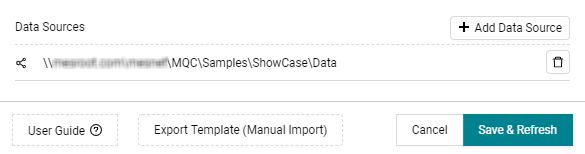
Figure 9.1 Export the excel template for using manual data import functionality
Select one of the following options to customize the data import template according to your needs:
All: The Excel file already contains a column for each measure configured in the quality model as well as one row for each artifact imported respectively configured in the project structure.Filtered: The Excel file only contains those measures and artifacts selected via the filter panel on the right-hand side of the pages.Marked: The Excel file only contains those measures and artifacts that were marked by the user, e.g. if the user have selected an artifact KPI and a specific data source KPI at the Data Status page, the file only contains a row for the marked artifact as well as only columns for measures belonging to the marked data source.

Figure 9.2 Sample file for manual import of two Base Measures for two Artifacts for the same revision
The column Artifact consists of entries representing the objects for which
data shall be collected and for which quality shall be computed (e.g. Simulink
models, requirements documents, software components).
The entries of the column ReportDateTime are considered by MQC as the days
when raising the data, which shall be collected. Those configured report dates
are used to assign the imported data to MQC revisions.
Finally, all other columns are representing measures for which data shall be
imported into MQC. As shown in Figure 9.2, measures (i.e. the
column names) have to follow the syntax
DataSource.Measurement.BaseMeasure.Variable.
DataSource: Specify where your data is coming from (e.g. the name of the tool which produced the data).Measurement: Provide more structuring regarding the data (e.g. the reason why data is collected, the test environment etc.). This is optional and may be left empty. In this case the measure name syntax isDataSource.BaseMeasure.Variable. Nevertheless, it is recommended to fill outMeasurementto achieve a high compliance to ISO 250xx.BaseMeasure: Specifies a group of measures.Variable: The name of the specific measure belonging to the base measure group.
The value for a specific measure for an artifact at a certain report date then has to be assigned to the corresponding cell within the Excel template.
In case you might want to assign default values for your imported base measures, you have to define them in compliance with this syntax within the Quality Model Base Measure excel sheet (see Figure 14.1).
Note
The manual data import supports .xls files, in addition to .xlsx files, and multiple sheets starting from MQC 4.3.